
Case studies

Making complex systems clearer and more usable.

Each concise panel introduces one study, explains what its interactive element does, and links to a complete dedicated page. The downloadable reports preserve the evidence behind the work, while the disclosures distinguish live products from demonstrations, historical records, and proposed validation.

Case study · Synthetic interactive prototype

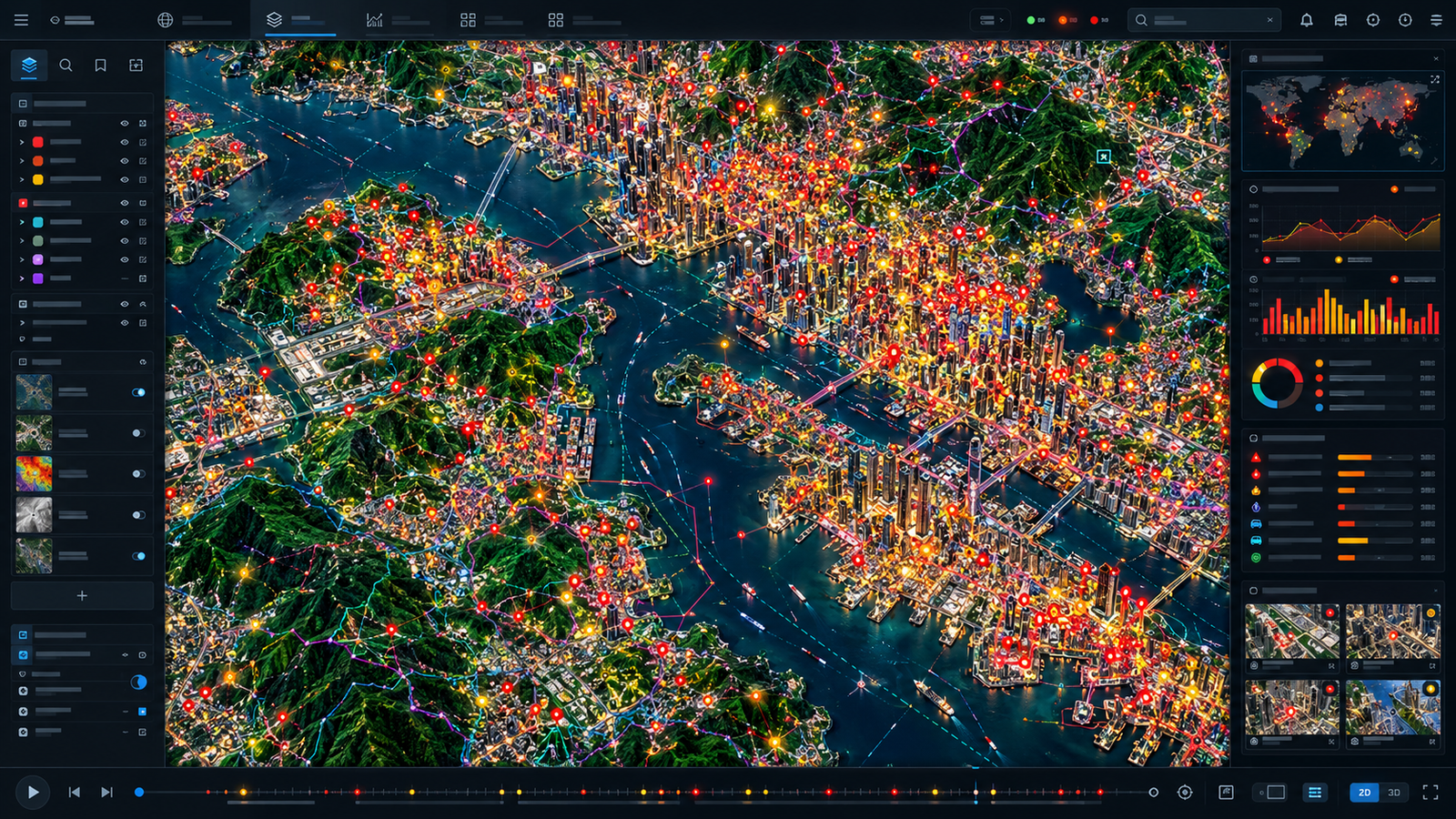
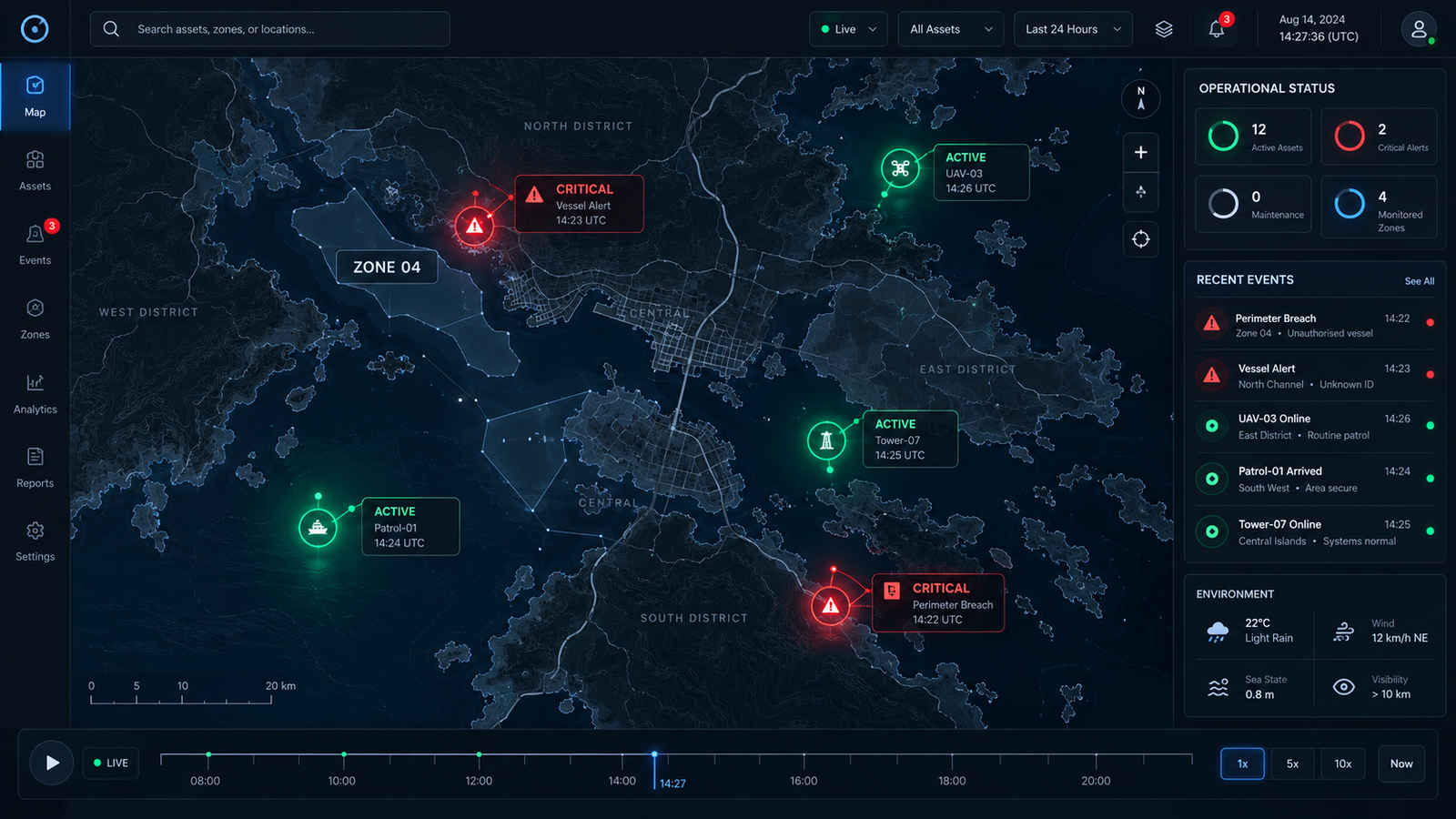
Geospatial AI Heuristic Loss Dashboard

Use the state switcher to compare flawed and optimized treatments of the same synthetic geospatial interface. Inspect how aggregation, hierarchy, and legibility change the displayed design signals.

Purpose

Make common AI-generated geospatial interface failures visible and reviewable.

How to use it

Switch states, compare map and record treatment, then open the complete study for the design rationale and evidence boundary.

What it proves

The prototype demonstrates a structured evaluation method and interface corrections. It does not prove a trained model, live GIS feed, measured human outcome, or client deployment.
Case study · Live AI photography product

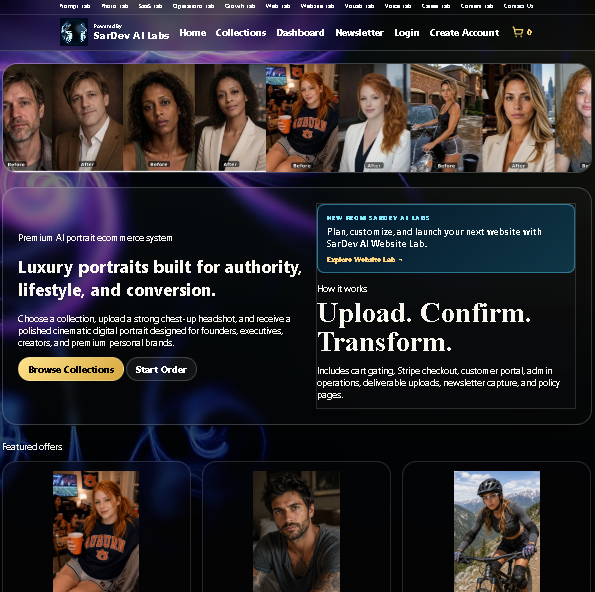
SarDev AI Photo Lab

Follow a production workflow that turns source photographs into curated portrait collections while keeping the human review and delivery boundaries visible.

SarDev AI Photo Lab storefront showing portrait examples, premium portrait messaging, and featured offers
Case study with live SarDev AI Photo Lab website

Purpose

Explain the product model, customer journey, production safeguards, and premium portrait workflow.

How to use it

Review the complete study, then open the live storefront to inspect the public product and package experience. Do not submit private material as part of this portfolio review.

What it proves

The product and public storefront are live, and the documented implementation was checked against supplied source. No conversion, revenue, ROI, turnaround, or unattended-generation claim is made.

Case study · Interactive multi-tenant SaaS platform

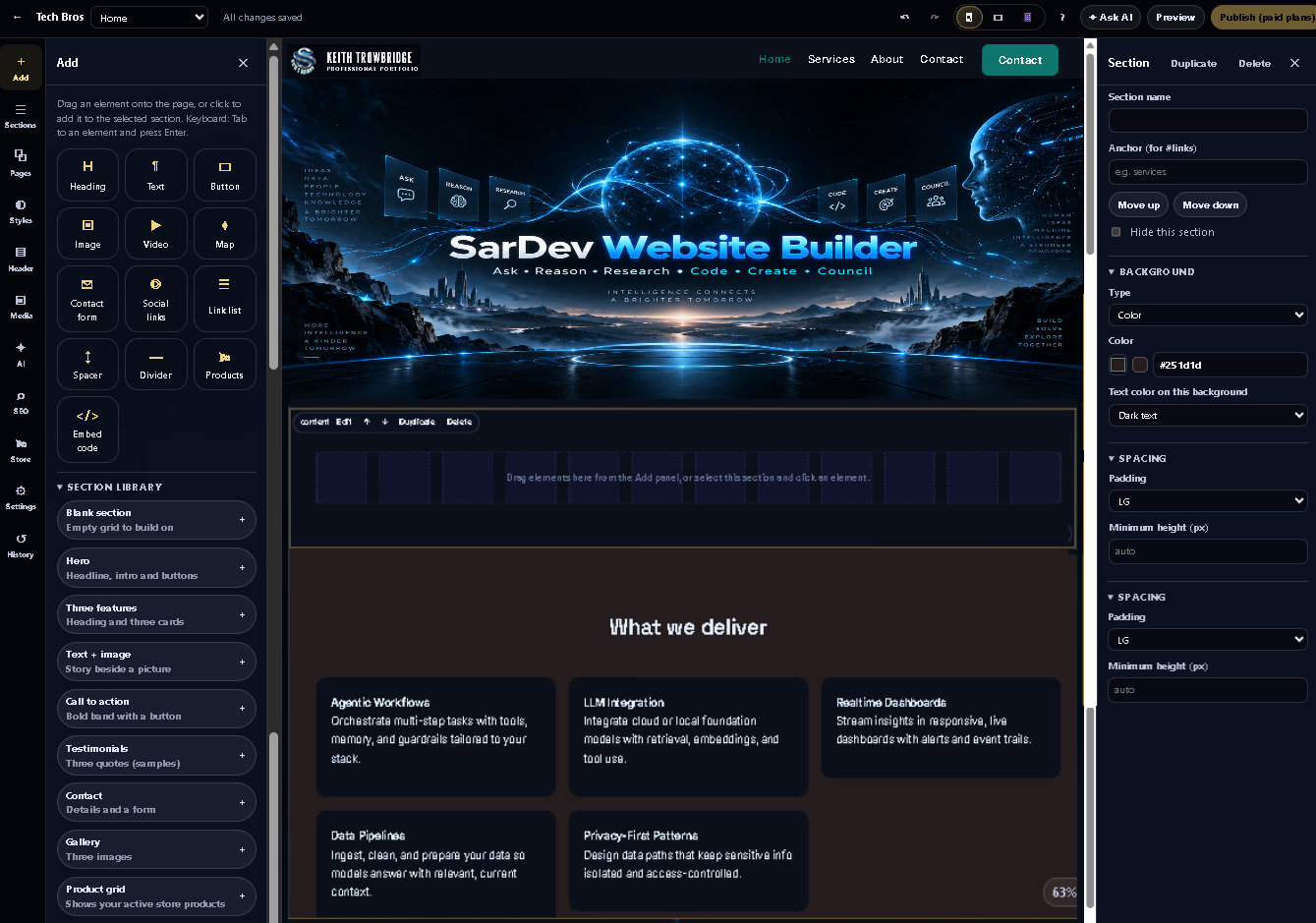
SarDev AI Website Lab / Website Builder

Explore a sanitized Website Builder editor inside a server-enforced portfolio-demo mode. Safe layout and content changes remain in memory for the current page session and never alter the live site.

SarDev AI Website Builder editor showing the supplied banner hero, a new blank section, and the What we deliver capability cards
Case study with live interactive multi-tenant SaaS platform

Purpose

Show how product strategy, visual editing, responsive workflows, revisions, architecture, deployment, and bounded AI assistance fit into one AI website development, hosting, and publishing platform.

How to use it

Dismiss the information dialog, edit text or layout, switch device views, and choose Reset demo. Refreshing also restores the original sanitized document. Publishing and other protected capabilities are unavailable.

What it proves

The live demo verifies the current public exploration path and non-persistent safeguards. The report separately records historical product scope and QA evidence; it does not claim adoption, revenue, automated domain fulfillment, or independently certified compliance.

Case study · Live mobile-first product

BibleBeacon

Review a calm, audio-led scripture experience designed around focused reading, listening, reflection, and resilient mobile delivery.

BibleBeacon mobile interface showing scripture reading and audio controls
The live product opens separately so visitors retain control of audio playback.

Purpose

Document the product strategy, interaction model, technical delivery, and human-directed AI-assisted development process.

How to use it

Read the complete study, then launch the live product and choose a passage or audio experience. Audio starts only after your action.

What it proves

BibleBeacon 0.16.0 was documented as live and technically verified. No user-count, retention, conversion, revenue, satisfaction, certification, or ROI claim is made.

Case study · Spatial intelligence demonstration

Explore SarDev Metropolitan

Move from a fictional city overview into architectural records while preserving entity identity, camera context, and an accessible record view.

Purpose

Demonstrate coordinated spatial navigation, synchronized records, accessible alternatives, and safe graphics fallback behavior.

How to use it

Select a building, move between city and detail views, and inspect the matching record. Open the full study for keyboard guidance and the complete experience.

What it proves

The working demonstration validates the implemented interaction model. Its city, buildings, histories, owners, coordinates, and statuses are fictional and are not live sensors, surveyed properties, or client records.

Case study · Explainable AI interface

Mapping Machine Intent to Operational Reality

Trace a representative AI recommendation through confidence, constraints, spatial context, human review, and an auditable decision record.

Flow diagram connecting machine intent, constraints, spatial context, human review, and accountable action
A static overview introduces the deeper interactive and architectural explanation.

Purpose

Translate machine output into inspectable human decisions without hiding uncertainty or responsibility.

How to use it

Follow the flow from model output to review and accountable action, then open the complete study to inspect the interaction and architecture layers.

What it proves

The independent portfolio simulation demonstrates an explainability and oversight pattern using representative outputs. It does not claim a trained policy, operational deployment, client outcome, or validated human-factors measure.

Case study · Interface evaluation

AI Design Evaluation / Interactive Comparison

Compare generated flaw-and-correction concepts for basemap competition, marker clustering, information density, and spatial-query continuity.

Flawed geospatial interface concept with a visually competing basemap Corrected geospatial interface concept with stronger information hierarchy
One of four synthetic before-and-after comparison sets.

Purpose

Turn visual critique into explicit corrections, evaluation criteria, and a proposed validation plan.

How to use it

Open the complete case study and inspect each full-resolution flaw/correction pair. Compare what changed, why it changed, and how the correction could be tested.

What it proves

The study supports researched analysis and redesign reasoning with simulated interface content. It does not claim a named client, production integration, experiment result, measured satisfaction, or full accessibility conformance.